A 22 kW wallbox installation requires a dedicated three-phase supply, a correctly sized breaker, and strict adherence to local electrical codes. This guide details the physical and electrical steps for a safe setup, from site prep to final commissioning.
- Verify that the main distribution board has available three-phase capacity before ordering a 22 kW unit.
- Use a correctly sized breaker and cable based on the specific ampacity and insulation type of your installation.
- Keep the installation within local electrical codes and manufacturer requirements.
- Perform a final continuity and insulation test before connecting the charger to the grid.
- Document all work for future maintenance, warranty support, and insurance records.
Prerequisites: What You Need Before Starting
A 22 kW AC charger installation is not a simple plug-and-play task. It involves high-current three-phase power, which demands careful planning and strict safety measures. Before touching a single wire, you must confirm that your site can handle the load.
You need three distinct things before work begins. First, you need a clear site survey. Measure the distance from the main distribution board to the installation point. Check for obstructions that might prevent cable routing. Second, you need electrical capacity. A 22 kW unit typically draws around 32 amps on three-phase power. You must confirm your main supply and sub-circuit can handle this draw without tripping the main breaker. Third, you need the right tools. You will need a multimeter, insulation resistance tester, torque wrench, cable puller, and appropriate personal protective equipment.
Do not skip the documentation phase. Locate your site’s electrical schematics. If they are missing or outdated, commission a site survey. This prevents costly rework later.
Step 1: Select the Correct Cable and Breaker
The cable size is determined by the current rating, voltage drop, and insulation material. For a 22 kW wallbox, you are usually working with a three-phase, 400 V system. The standard current draw is 32 amps. However, you must account for future upgrades or longer cable runs that increase voltage drop.
| Component | Typical Specification | Why It Matters |
|---|---|---|
| Cable Type | 3-core + 1 (PE) or 4-core + 1 (PE) | Ensures proper phase and earth connection |
| Conductor Size | 6 mm² or 10 mm² copper | Handles 32 amps with low voltage drop |
| Breaker | 32 A or 40 A 3P breaker | Protects the circuit from overcurrent |
| RCD Type | Type A or Type B | Protects against DC and AC faults |
The breaker rating must match the cable’s ampacity. If you run a 6 mm² cable, a 32 A breaker is standard. If you run a 10 mm² cable, you may go up to 40 A. Do not oversize the breaker to match a larger cable if the installation is not designed for that current. The breaker protects the cable, not the charger.
Step 2: Mount the Wallbox Unit
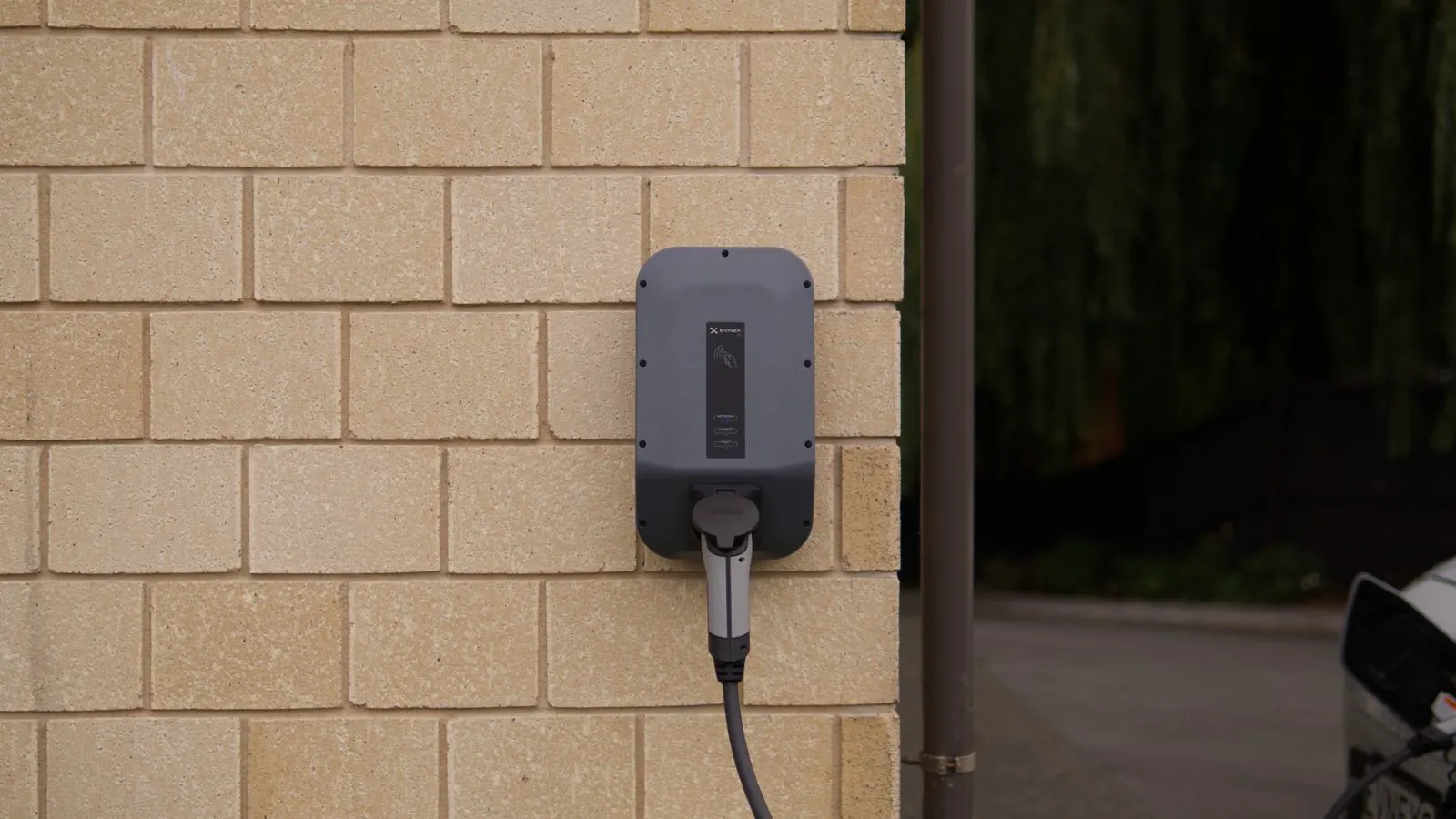
Choose an installation point that is dry, protected from weather, and accessible for maintenance. The charger should be mounted on a solid wall, such as brick, concrete, or masonry. Avoid mounting on hollow block or timber studs unless you use appropriate fixing plates.
Most units come with a mounting plate and a weatherproof enclosure. Align the plate with the wall and mark the screw holes. Use a spirit level to ensure the plate is perfectly horizontal. Drill pilot holes and use the correct anchors for your wall material. For concrete, use chemical anchors or high-strength plastic anchors rated for the weight of the unit.
Mount the unit at a height that is comfortable for operation but out of the way of traffic. A standard mounting height is 1.2 to 1.5 meters from the floor. Ensure there is clearance around the unit for heat dissipation and cable entry. Do not obstruct the ventilation grilles or the display panel.
Step 3: Run the Cable from the Distribution Board
Route the cable from the main distribution board to the wallbox. Use cable trays, conduits, or direct burial methods depending on the environment. If the cable runs through walls, use fire-rated cables and approved conduits. Keep the cable away from heat sources, such as ducts or pipes.
Support the cable at regular intervals to prevent sagging. Use cable ties or clips that do not damage the insulation. If the run is long, consider using a larger conductor size to minimize voltage drop. A voltage drop above 3% can cause issues with the charger’s power electronics.
Do not pull the cable too tightly. Allow for slack at both ends for termination and future adjustments. If you are using direct burial cable, ensure it is rated for underground use and protected by conduit where required by local codes.
Step 4: Terminate the Cable at the Distribution Board
At the distribution board, strip the cable insulation to the correct length. Use a cable stripper that cuts the conductor without nicking the copper. Insert the conductor into the breaker terminals. Tighten the terminals to the manufacturer’s specified torque. Use a torque wrench for this step. Loose connections cause heat, which degrades the insulation and can start a fire.
Connect the earth conductor to the main earth bar. Ensure the earth connection is solid and free of oxidation. Use a small piece of wire if necessary to ensure a good contact. Tighten this connection as well.
Label the circuit. Mark the breaker with “EV Charger” or a similar identifier. This helps future technicians identify the circuit quickly.
Step 5: Terminate the Cable at the Wallbox
At the wallbox end, follow the manufacturer’s wiring diagram. Connect the three phase conductors (L1, L2, L3) to the corresponding terminals. Connect the neutral conductor (N) to the neutral terminal. Connect the earth conductor (PE) to the earth terminal.
Use the correct terminal type for your cable. For solid copper cable, use screw terminals. For flexible cable, use ferrules or lugs. Do not mix conductor types in the same terminal. Tighten the terminals to the specified torque. Check for any loose strands.
Ensure the cable gland is tight and sealed. This prevents moisture ingress and protects the cable from mechanical stress. If the charger has a built-in RCD, test it after installation.
Step 6: Perform Electrical Tests
Before connecting the charger to the grid, perform a series of tests. Use a multimeter to check for continuity between the live conductors and the earth. There should be no continuity. Check for continuity between the earth conductor and the earth bar. There should be low resistance.
Use an insulation resistance tester to check the insulation of the cable. The reading should be above 1 megohm. If it is lower, there is a fault in the cable or a moisture issue. Correct the fault before proceeding.
Check the polarity of the phases. Use a phase rotation meter if necessary. Incorrect phase rotation can damage the charger’s power electronics.
Step 7: Commission the Charger
Once all tests are passed, connect the charger to the supply. Power up the charger. Check the display for any fault codes. Refer to the manufacturer’s manual if any codes appear.
Plug in an EV and start charging. Monitor the current draw. It should stabilize at the expected level. Check that the charger communicates correctly with the vehicle. If the charger is smart, verify that it responds to load management commands.
Common Mistakes to Avoid
- Oversized Breaker: Using a breaker that is too large for the cable can cause the cable to overheat.
- Loose Terminals: Inadequate torque at terminals causes heat and can lead to fire.
- Ignoring Voltage Drop: Long cable runs without a larger conductor size cause voltage drop, which can trip the charger.
- Moisture Ingress: Poor sealing at cable glands allows water to enter, causing corrosion and faults.
- Skipping Tests: Not performing insulation and continuity tests before commissioning can leave latent faults in the system.
Final Verification
After commissioning, perform a final visual inspection. Check that all cables are supported and routed correctly. Ensure the wallbox is secure and the display is readable. Test the RCD if it is external.
Create a completion report. Record the cable size, breaker rating, test results, and any deviations from standard practice. Store this document with the site’s electrical records. This report is critical for warranty claims, insurance, and future maintenance.
A well-executed 22 kW wallbox installation is safe, reliable, and efficient. By following these steps and adhering to local codes, you ensure a long service life for the charger and a safe charging environment for your users.
Frequently asked questions
Do I need a dedicated circuit for a 22 kW wallbox?
Yes, a 22 kW wallbox should be on a dedicated three-phase circuit to ensure reliable operation and prevent interference with other loads on the distribution board.
Can I install a 22 kW wallbox on a single-phase supply?
No, a 22 kW unit requires a three-phase supply. Single-phase supplies are typically limited to 11 kW or less for standard AC chargers.
How long does a wallbox installation take?
A standard installation typically takes a few hours to a full day, depending on the distance from the distribution board and the complexity of the site.
What if the main distribution board is full?
You may need to upgrade the main distribution board or add a sub-board to create space for the new circuit. Consult a qualified electrician for this assessment.
Can I use a 16 A breaker for a 22 kW wallbox?
No, a 16 A breaker is too small for a 22 kW unit. You need a 32 A or 40 A breaker to match the cable and charger requirements.